Eat Everything In A Grocery Store Beginner Guide
Learn the eating and treadmill loop, find your first gym upgrade and check the stockroom and checkout shelves when your store clear stalls.
Aim and click to eat a visible shelf, return to the treadmill when fullness interrupts eating, and inspect a gym upgrade for the current bottleneck. Finish with a stockroom and checkout sweep, then wait for the game's completion result.
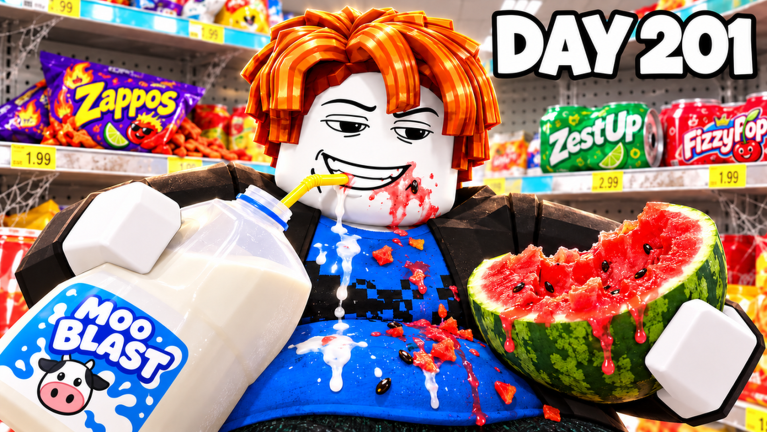
View reference image
On this page
Your first job in Eat Everything In A Grocery Store is to learn the cycle: aim at food, eat until you need to reset, return to the gym area, then spend on an upgrade that makes the next trip easier. The developer’s Roblox listing describes a store containing 4,300,000 calories, a 175-food Food Index, solo or party play, and an in-game cash prize for emptying the store.
Two recorded runs make the loop clearer. STUD’s 14 October video describes a full stomach and treadmill returns. Andy Plays’ 17 October co-op run shows repeated eating, upgrading and a final checkout cleanup. We reviewed their transcripts on 18 October 2026. Their purchased boosts and recorded completion times are not requirements or unboosted benchmarks for your run.
Start the correct experience and choose a session
Open the official Roblox page and check that the creator is Play On Grocery Store. This guide covers that specific experience. Similar supermarket challenges and the real-world video premise do not establish the mechanics of this game.
Choose whether you want to learn alone or clear with friends. The developer says a party starts in the lobby and describes the same store with more players eating together. If you use a party, agree that the first goal is learning the loop. A player who is studying the gym may move more slowly than one already using upgrades, and that difference does not mean the session is broken.
Look for your current progress display and the gym before spreading into distant aisles. You will be returning there, so knowing the route matters. Do not spend the opening minutes hunting a collectible without first understanding how you will continue eating when your current capacity is reached.
Eat a small, visible section first
The developer describes the basic interaction as aiming and clicking; individual foods break apart bite by bite. Begin with a shelf or produce section where you can see the result of each action. Watch the item disappear or change as you eat, then move to the next visible target.
Choose a small section as your first checkpoint. The purpose is to distinguish unfinished food from an empty shelf. If you move on after only taking some bites, a later cleanup becomes harder because the whole aisle can look nearly cleared while still containing edible pieces.
Do not confuse an item’s size with a mandatory starting order. The official description includes a 150,000-calorie Mega Watermelon and stockroom pallets, but it does not say you must eat either first. Those examples establish that the job extends beyond tiny shelf items. Start somewhere you can operate comfortably and learn the return loop.
If an item does not seem to respond, re-aim and confirm that you are close enough before assuming it is the final blocked object. This is a practical troubleshooting step; the sources do not establish a universal interaction distance or a list of permanently unreachable foods.
Return to the treadmill when fullness interrupts eating
Both reviewed creator transcripts describe the stomach filling and returning to a treadmill. STUD explicitly says that the full stomach needs a treadmill, while Andy’s group repeatedly returns before resuming the clear. That is the key recovery route when you stop making eating progress.
Notice the difference between store progress and your current ability to keep eating. The remaining store can still contain plenty of food while your character needs a reset. Continuing to click a shelf without addressing that state will not teach you whether the food is missing, out of reach or merely waiting for your next eating trip.
The official listing calls calories the currency for gym upgrades. The recordings also discuss spending cash after treadmill trips. We therefore describe the observed eat, treadmill and upgrade cycle without asserting a permanent numerical conversion between calories and cash. Read the labels and balances in your current menu rather than calculating from an old video.
Once you have used the treadmill, return to the same section you were clearing. Resuming at a known point is easier than starting a fresh aisle after every trip. It also makes it clearer whether your next upgrade changed the part of the loop that was slowing you down.
Buy for the problem you can identify
The developer names Hold to Eat, Speed, Multi Eat, Calories and Reach as gym upgrades, with Multi Eat advertised up to x12 in the listing reviewed on 18 October. Both creators discuss Hold to Eat early in their runs. That makes it a useful option to inspect if repeated clicking is your immediate obstacle.
Avoid treating one creator’s shopping sequence as a universal cheapest route. Current prices, available tiers and your session’s purchased extras can differ. Read the description of the upgrade before spending, then compare the next shelf trip with the previous one.
If you are mainly interrupted by fullness, look at the capacity-related option shown in your current build. If reaching targets is the problem, inspect Reach. If dense shelves take too many separate actions, inspect Multi Eat. These are decisions around the actual bottleneck, rather than a promise of a particular payback time.
The gym upgrade guide separates the official names from additional menu labels mentioned in the recordings. Keep Robux purchases separate from ordinary earned progression. A video that buys boosts can still demonstrate the interface, but it cannot prove that its speed is typical for a fresh player.
Keep collection and clearing as separate objectives
The official listing describes tasting all 175 foods for the Food Index and mentions a hidden golden banana. Those are collection tasks alongside clearing the store. Do not assume that finishing one objective automatically proves the other is complete.
If you want the index, check the current collection display as you move through new sections. A visible food you have not tasted may matter even when the team has already cleared most of its area. In a party, tell friends when you are trying to inspect or taste an item rather than silently racing them to it.
Andy’s group discovers a golden banana while exploring an employees-only back area in that recorded run. This is a dated observation, not a guaranteed permanent spawn location. Use it as a reason to inspect the back area, while following your current game’s layout and collection display.
For a first clear, prioritize learning the full route through the store. You can make a more focused collection attempt afterward, once treadmill trips and upgrades no longer interrupt your understanding of the session.
Sweep systematically when the store looks empty
The last stretch needs a different mindset from the early eating phase. Stop choosing the largest-looking remaining item and start verifying sections. The official listing explicitly includes stockroom pallets; a supermarket floor that looks empty is not proof that the entire store is clear.
In Andy’s transcript, the group revisits the back, notices leftover butter and then finds the last food near the checkout aisle. That gives useful places to include in your own sweep: back area, shelf ends and checkout displays. It does not mean every run ends at the same item.
Move through the store in a fixed order. Finish one aisle before changing rooms, check that partly eaten objects are actually gone, and make one pass through the stockroom and checkout area. With friends, assign sections rather than sending everyone toward the same tiny remainder; the co-op clear route provides that plan.
Wait for the game’s completion result before treating the run as finished. The advertised million is in-game cash shared with the team, not a real-world payout. The official description does not publish the complete split formula or every completion condition, so use the current result screen for your actual reward.
Step-by-step guide
- Clear a visible small section
Use the current aim-and-eat interaction, watching food break apart until the section is actually empty.
- Reset and inspect an upgrade
Return to the treadmill when full, then read the gym option that addresses the interruption in your next trip.
- Sweep every remaining area
Check the stockroom, shelf ends and checkout displays in a fixed order before confirming completion.
Quick reference
Your next decision
A quick route through this guide; see the body for sources and exceptions.
| Step | What to do |
|---|---|
| Clear a visible small section | Use the current aim-and-eat interaction, watching food break apart until the section is actually empty. |
| Reset and inspect an upgrade | Return to the treadmill when full, then read the gym option that addresses the interruption in your next trip. |
| Sweep every remaining area | Check the stockroom, shelf ends and checkout displays in a fixed order before confirming completion. |
Video evidence
Watch creator walkthroughs alongside this guide. Check the recording date before following requirements that may have changed.
Roblox Eat Everything In the Grocery Store, Win $1,000,000!
A recorded store run shows eating, fullness, treadmill returns and upgrade decisions. Paid boosts in the video are optional and do not establish an unboosted clear time.
ROBLOX EAT EVERYTHING IN A GROCERY STORE...
A recorded store run shows eating, fullness, treadmill returns and upgrade decisions. Paid boosts in the video are optional and do not establish an unboosted clear time.
FAQ
Which version does this guide describe?
The official listing and dated creator footage were checked on 18 October 2026. No public build number was available. Follow your current in-game prompts when an update changes the interface.
Are the recommendations based on a personal playtest?
The facts come from the linked developer description and named creator footage. The route and practice suggestions are original editorial advice; no personal live playtest or paid purchase is claimed.
Sources
Recheck these links whenever the game version, release status, or strategy changes.
- Eat Everything In A Grocery Store — official Roblox listing Developer description and exact game identity checked 18 October 2026.
- Andy Plays — Roblox Eat Everything In the Grocery Store, Win $1,000,000! Published 2026-10-17. Creator footage, distinct from developer documentation.
- STUD — ROBLOX EAT EVERYTHING IN A GROCERY STORE... Published 2026-10-14. Creator footage, distinct from developer documentation.