Eat Everything In A Grocery Store Gym Upgrades
Compare Hold to Eat, Speed, Multi Eat, Calories and Reach, then choose upgrades that address the part of your grocery clear that is slowing down.
Choose an upgrade for the interruption you can identify: repeated clicking, capacity, dense shelves, travel or reach. The developer names Hold to Eat, Speed, Multi Eat, Calories and Reach; use current menu descriptions and prices rather than an invented fixed order.
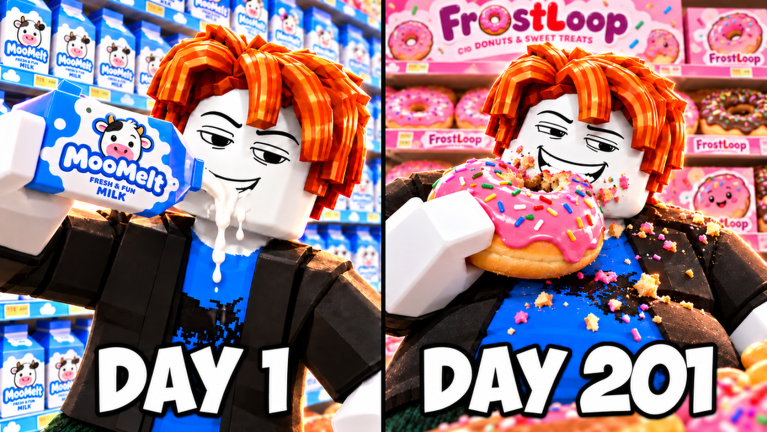
View reference image
On this page
A useful gym upgrade fixes the part of your current grocery run that is slowing you down. The official description names Hold to Eat, Speed, Multi Eat, Calories and Reach, and advertises Multi Eat up to x12. It does not provide a complete price ladder, a guaranteed cheapest purchase order, or an upgrade return-on-investment formula.
This guide combines those published names with the eating and treadmill loop described in STUD’s recorded run and Andy Plays’ co-op run. Their transcripts were reviewed on 18 October 2026. The advice below is a way to make your own spending decision; it is not a measured speedrun route or a requirement to buy the paid extras shown in either video.
Identify the slow part before opening the menu
Complete one ordinary trip through a small section of shelves. Notice what stops you first. You might spend most of the trip repeatedly clicking, return because you are full, take a long route back to the treadmill, or struggle to target a shelf. Those are different constraints.
Name the constraint in a short sentence. “I can reach the shelf but have to click continuously” points toward a different menu description from “I am full before I clear this small section.” If you cannot name the problem, buying whatever looks impressive will make the next result hard to evaluate.
Keep your current section as the comparison point. After buying one upgrade, return to a similar section and see whether the same interruption still happens. This is enough to guide a practical decision without claiming a precise efficiency percentage.
If you have not yet learned the reset loop, use the beginner clear guide first. An upgrade plan is more useful once you can distinguish an empty shelf from a full stomach and know how to return to eating.
Inspect Hold to Eat for repeated clicking
Hold to Eat is one of the official gym options. In both reviewed transcripts, the creators explain that buying it allows holding the input rather than repeatedly clicking to eat. That is concrete evidence for what the option is intended to solve.
If repeated clicking is tiring or makes you lose the target, inspect this option early. Read its current description and price, then confirm the interaction on the next shelf. The recorded purchase demonstrates the concept; it does not establish today’s price or prove that the same input behaves identically on every supported device.
Do not mistake easier input for a complete solution to clearing. You can still fill your current capacity, aim at the wrong object or leave another room untouched. Hold to Eat addresses the action you repeat, while the route through the store remains your responsibility.
If your main problem is elsewhere, pause before following the video’s order. A player already comfortable with the input may need another improvement first. The purpose of a recommendation is to connect the purchase to an actual constraint, not to make every session copy the same sequence.
Compare Multi Eat with the shelf in front of you
Multi Eat is listed by the developer, including the advertised x12 upper extent at the time of review. The creators discuss upgrading it while clearing groups of food. That supports inspecting it when dense shelves require many separate eating actions.
Use the current menu to understand the next tier. Do not divide the remaining store calories by an advertised multiplier and call the result a clear time. Movement, targeting, fullness, different food sizes and time spent away from shelves all affect a run, and the sources do not provide a complete model of those interactions.
A practical comparison is simpler. Clear a small dense patch, buy the tier you chose, then clear another similar patch. Did separate targeting remain the main problem? Did fullness interrupt you sooner? The new constraint tells you what to inspect next.
Do not max an option solely because a creator eventually does so. STUD’s run includes paid progression advantages, while Andy’s group uses temporary events and purchases. Their late-run balances do not describe what an unboosted beginner can afford at the same point.
Treat Speed and Reach as route decisions
Speed and Reach are both official upgrade names. STUD’s transcript describes Reach as letting the player eat from farther away. Use that as a reason to inspect the current Reach description when shelf access is awkward, while avoiding a made-up distance table.
Speed deserves attention when moving between useful eating positions and the gym consumes much of your trip. Before spending, check whether the path itself is inefficient. A clear return route or a better choice of the next aisle can reduce unnecessary travel without another purchase.
Reach and movement also interact with cleanup. A nearly empty store may contain scattered targets rather than a dense patch. At that point, locating the remaining food can matter more than improving the action used to consume a shelf full of it. Do not spend as though the final sweep is the same task as the opening aisle.
If an object remains difficult to reach, verify your position and aim again. We have not established that every food can be consumed from a particular spot or that a specific Reach tier bypasses every obstacle. Use the current game response to decide whether the problem is access, capacity or an unfinished target.
Read Calories and capacity labels carefully
The official listing includes an option called Calories. The reviewed recordings also mention menu labels such as Stomach and cash bonus. Those names should not be silently merged into one permanent upgrade, because the sources do not document that they are equivalent.
When your capacity fills too often, inspect whichever current description explicitly addresses that limitation. Both creators describe using treadmills to resume eating; they also discuss capacity-related upgrades in their recorded builds. Read the label actually present in your menu instead of buying an option because an older video used a familiar name.
The developer calls calories the currency for gym spending, while the creators discuss cash balances after treadmill trips. This guide does not assume a fixed calories-to-cash conversion. A purchased boost or changed version can make a calculation from the recording misleading.
Keep enough context to evaluate a purchase: what the menu said, what you paid in the current run and whether the intended interruption became less frequent. You do not need an elaborate spreadsheet to avoid confusing a bigger displayed balance with a better clear route.
Keep paid boosts out of the basic plan
The recordings include temporary events, shopping-related extras and Robux purchase discussion. Those segments help identify why a creator’s store clears quickly, but they are not prerequisites for the ordinary eat and treadmill cycle described by the developer.
Before any optional purchase, distinguish the resource named by the purchase dialog from earned progression currency. A recommendation to inspect an upgrade is not a recommendation to spend Robux. You can continue learning the store and coordinating a party without copying every paid event in the videos.
For a shared session, agree on the goal before chasing upgrades independently. One player can clear a dense section while another verifies the remaining rooms; higher multipliers do not replace communication. The co-op guide focuses on that division of work.
When the store is almost clear, stop buying automatically. Reassess the remaining task. If the bottleneck has become locating a small amount of hidden or overlooked food, a systematic sweep may be more useful than another tier. Buy when you can explain how the next option helps the current job, then confirm the result in the next trip.
Step-by-step guide
- Name the current bottleneck
Finish one ordinary shelf trip and identify whether input, capacity, travel or target access stops you first.
- Read the next upgrade description
Use the actual displayed price, resource and effect rather than copying a boosted video's shopping order.
- Compare the next trip
Return to a similar section, see whether the intended interruption improved, and reassess before another purchase.
Quick reference
Your next decision
A quick route through this guide; see the body for sources and exceptions.
| Step | What to do |
|---|---|
| Name the current bottleneck | Finish one ordinary shelf trip and identify whether input, capacity, travel or target access stops you first. |
| Read the next upgrade description | Use the actual displayed price, resource and effect rather than copying a boosted video's shopping order. |
| Compare the next trip | Return to a similar section, see whether the intended interruption improved, and reassess before another purchase. |
Video evidence
Watch creator walkthroughs alongside this guide. Check the recording date before following requirements that may have changed.
ROBLOX EAT EVERYTHING IN A GROCERY STORE...
A recorded store run shows eating, fullness, treadmill returns and upgrade decisions. Paid boosts in the video are optional and do not establish an unboosted clear time.
FAQ
Which version does this guide describe?
The official listing and dated creator footage were checked on 18 October 2026. No public build number was available. Follow your current in-game prompts when an update changes the interface.
Are the recommendations based on a personal playtest?
The facts come from the linked developer description and named creator footage. The route and practice suggestions are original editorial advice; no personal live playtest or paid purchase is claimed.
Sources
Recheck these links whenever the game version, release status, or strategy changes.
- Eat Everything In A Grocery Store — official Roblox listing Developer description and exact game identity checked 18 October 2026.
- Andy Plays — Roblox Eat Everything In the Grocery Store, Win $1,000,000! Published 2026-10-17. Creator footage, distinct from developer documentation.
- STUD — ROBLOX EAT EVERYTHING IN A GROCERY STORE... Published 2026-10-14. Creator footage, distinct from developer documentation.